Hello.
This will be a short review on the Canyon CNA-BTKB01B (black, CNA-BTKB01W is the white version) bluetooth keyboard.
I just bought this keyboard two weeks ago (my bad) to use at work on my Windows 7 machine because of its sleek flat keys and simple layout (kind of an Apple Wireless Keyboard impersonation only with a lower price tag; again my bad).
I used it for two days at work and unfortunately all I can say is this
- the right shift key did not press well on all angles
- when the PC had been sleeping for the night, when I wanted to get started the next day, the keyboard would not react and had to be reconnected (this means removing the bluetooth keyboard from Windows and reconnecting it using the keyboard hardware connect procedure)
- during the second day, this would also happen at random times
- during the second day, certain keys would not register the key press (and get this) in certain applications
- while typing a long text some keys would appear twice on the screen (I consider myself as an advanced typist and this never occurs to me)
Basically what I am trying to say is that this keyboard is of (very) poor quality. Fortunately, I managed to return it and get my money back. So.. I'm guessing it's an ugly keyboard or .. Apple's?
PS - these two (one and two) are the only documents I could find on this device (other than the seller's website information)
Wednesday, November 6, 2013
Thursday, August 29, 2013
Apps that are turning Windows 8 style
Now that Windows 8 has been released for some time, it seems apps other than Microsoft's are turning to the metro, flat Windows 8 style.
The first (and obvious) set of apps are the ones in Microsoft Office 2013
![]() |
| MS Outlook 2013 |
![]() |
| MS Lync 2013 |
![]() |
| MS Word 2013 |
![]() |
| MS Excel 2013 |
![]() |
| MS Powerpoint 2013 |
And we start to see some reaction from the outside community starting with Evernote. Their latest beta release (Evernote 5) uses the metro UI design.
![]() |
| Evernote 5 for Windows |
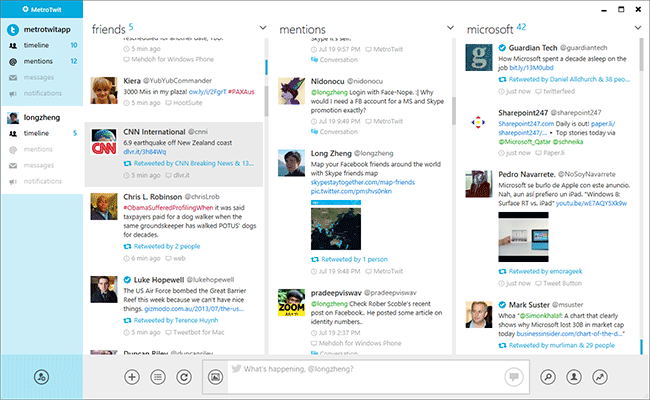
Lastly, although not as famous, a twitter client for Windows desktop, MetroTwit uses the same UI style.
![]() |
| MetroTwit, a Windows Twitter client |
The movement is still very slow, but I believe more and more apps will be forced to start using the Metro style if they want their apps to fit in the new Windows OS. Is this a good thing? I say it's a natural thing and that we'll all come to get used to it (if not like it) and eventually embrace it.
Enjoy.
Thursday, April 18, 2013
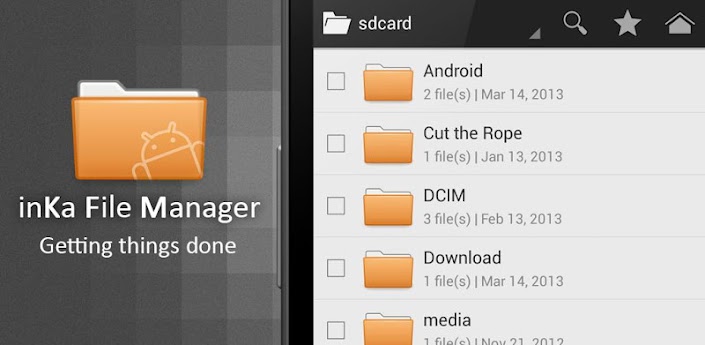
A simple, elegant and good-looking lightweight File Manager for Nexus 4 (and Android in general)
| inKa File Manager, a simple, yet elegant Android File |
I just noticed that the Nexus 4 does not come with any File Manager app pre-installed. So I started searching for a good looking app to serve my purpose. (I rather enjoyed the look of the i5800's File Manager, in spite of its simplicity; see an image below)
![]() |
| The default File Manager shipped with Samsung Galaxy products (more specifically i5800) |
The app has to be beautiful and confirming to Jelly Bean's UI conventions would be a definite plus.
Although all Google searches for such an app gives you the popular (and also regular) results like Astro File Manager, ES File Manager etc.; they were not what I'm looking for. Their functionality list is large, but their UIs are ... basically ugly (I found Astro to be the best in popular top).
Thus, I went ahead and looked at more obscure apps and found inKa File Manager which seems a simple, nice-looking, even elegant app. Its main screen is not crowded with all kinds of information
| inKa's main screen |
and more options are only at a swipe away.
| Left swipe |
| Right swipe |
Enjoy
Subscribe to:
Posts (Atom)